
Timestamp for Confluence
 Includes Timeline
Timezone-aware dates, countdowns, and local time conversion for Confluence Cloud pages.
Upgrade your timestamps with a powerful macro for Confluence.
Confluence's built-in date macro is just the start.
Add precise times, translate them across timezones, and show time differences automatically.
Both macros share one installation and subscription. Use either on its own or combine them on a page.
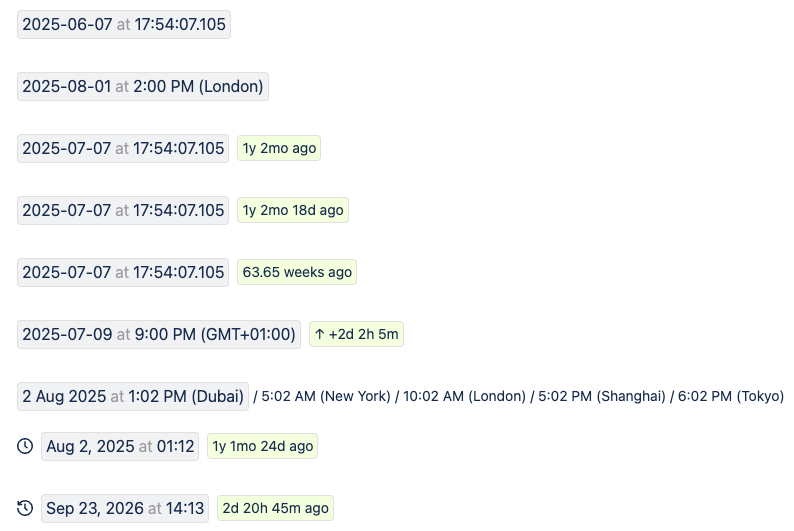
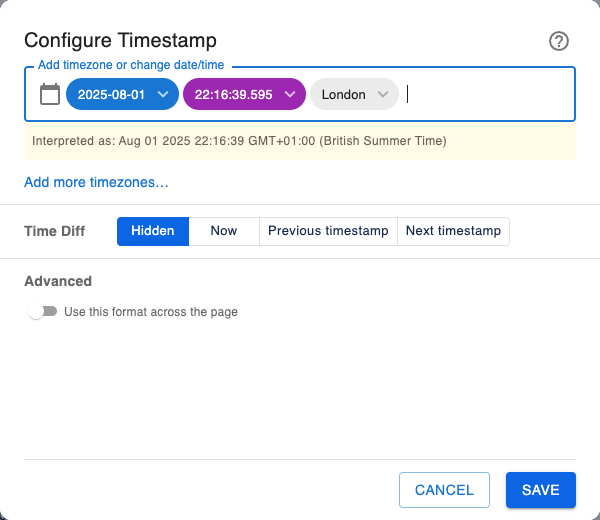
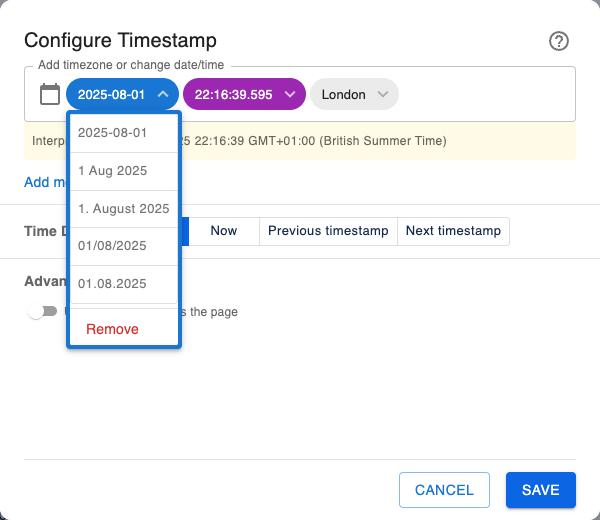
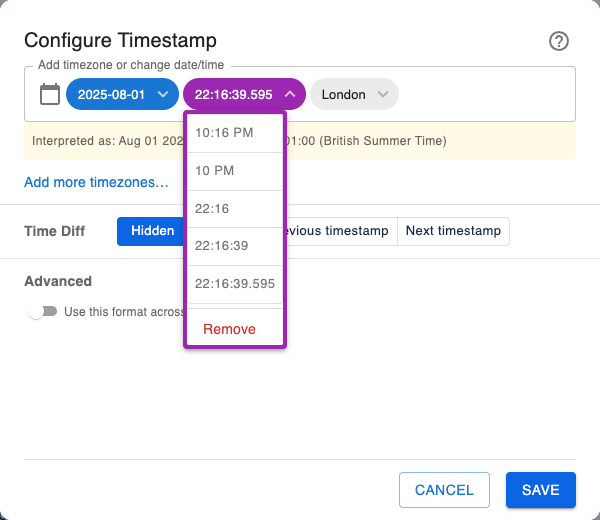
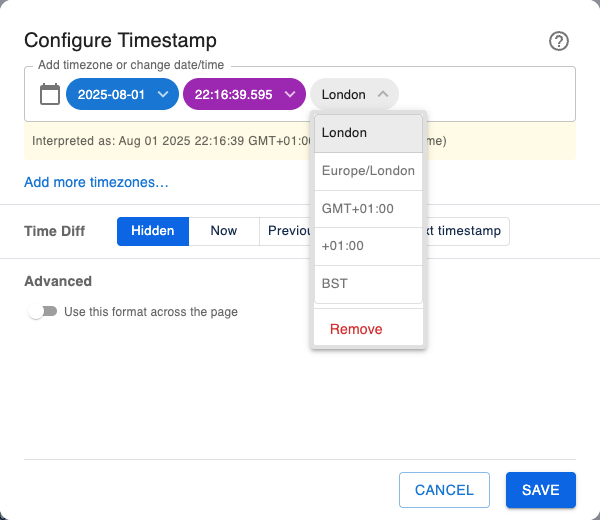
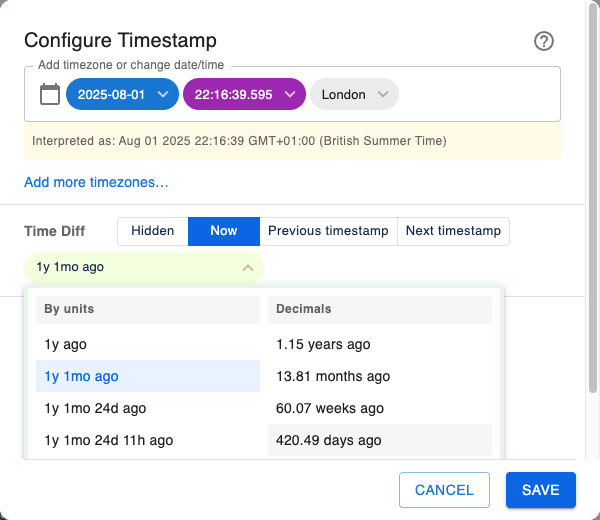
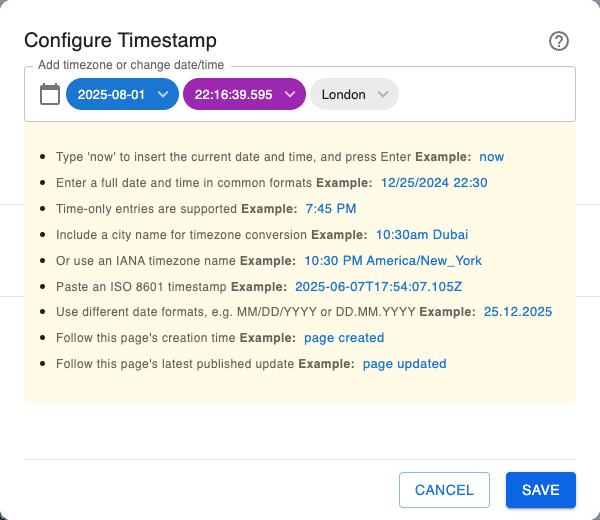
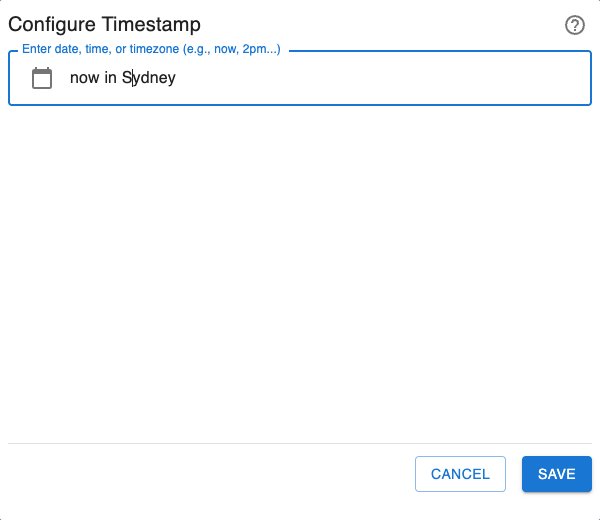
Key Features
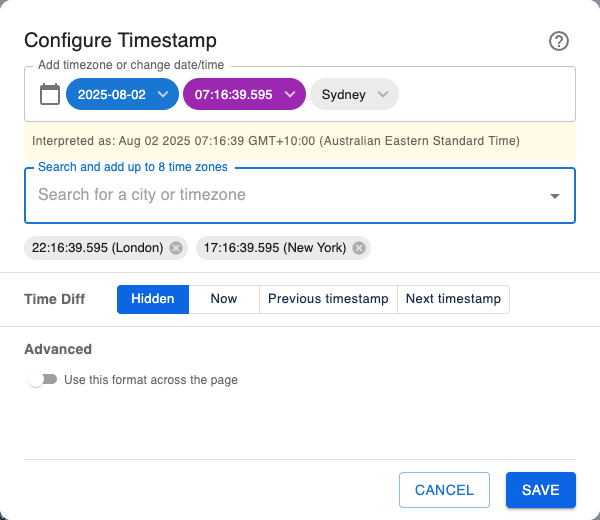
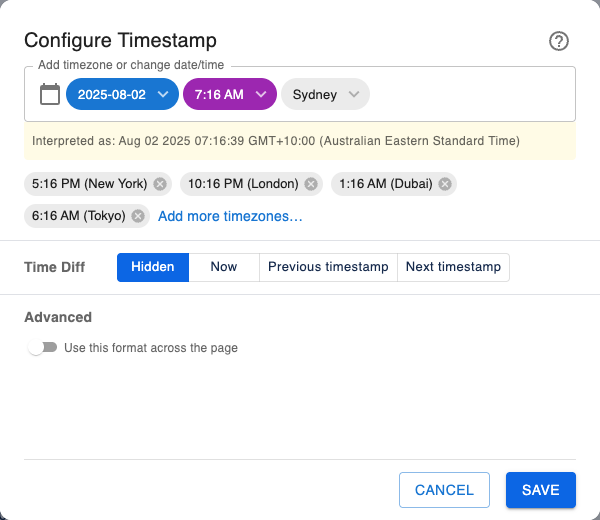
Natural Language Input: Just type what you mean! The macro understands inputs like 10:30am Dubai, now in london, 12/25/2024, and even full ISO 8601 timestamps.
Automatic Timezone Conversion: Effortlessly manage project deadlines and meeting times across the globe. Timestamps can display the source time and even show the equivalent time in each viewer's local timezone.
Dynamic Countdowns & Count-ups: Go beyond static dates by showing relative times that update automatically, like ...in 2 hours or ...30 minutes ago. Perfect for event launches and deadlines.
Interactive & Visual Editor: Use the simple chip UI and a live preview to build your perfect timestamp with confidence. The intuitive date picker and smart parsing make it foolproof.
One-Click ISO Copy: Click any timestamp on the page to instantly copy the full, unambiguous ISO 8601 format to your clipboard, perfect for technical logs and external systems.
Page creation and last updated times: Show when a Confluence page was created or last published. These timestamps stay linked to the page, so the last updated time changes when the page is published again.
For more details, read our Guide for Timestamp
Setup
- Go to Timestamp on Atlassian Marketplace.
- Click Try it free and follow the instructions.
How to use it
- Type /timestamp or /now, select the Timestamp macro, and press Enter.
- Click the macro edit icon to configure date, time, timezone, and display formats.
- Click Save, or press Ctrl+Enter on Windows or Command+Enter on Mac.
Permissions
Timestamp and Timeline run on Atlassian Forge. Both share one installation and one Confluence page-read permission. Page content and saved macro settings are handled within Atlassian services and the user’s browser. Administrators control access to external app analytics through Atlassian’s app-management settings.
Why does Timestamp need to read pages?
To display Page Created and Page Last Updated, Timestamp reads the containing page’s creation and latest published update times. To calculate a difference from the previous or next Timestamp, it reads the containing page’s content to find that timestamp. Fixed timestamps with no page-derived features do not need these page requests.
Can it read pages the user cannot access?
No. Page requests run as the current user and respect that user’s Confluence access. The app requests the page containing the macro; it does not search or crawl other pages or spaces. The permission itself allows page reads and is not technically restricted to a single page—the containing-page limit comes from how the app is implemented.
Where is data processed and saved?
Timestamp processes dates in the user’s browser and, for page metadata requests, in Atlassian’s Forge environment. Timestamp values, input text, timezone choices, and display settings are saved as macro configuration within the Confluence page. The app does not keep a separate copy of page content in a Crenwiz database. Saved macro data follows your organisation’s Confluence page lifecycle and retention controls.
Can the app change our content or permissions?
It saves Timestamp macro configuration through the Confluence editor. The optional page-wide format setting updates Timestamp macro display settings on the same page. It does not rewrite surrounding text or change page access, space settings, or user permissions. The app requests no Confluence REST API write, delete, or administration scopes.
Does data leave Atlassian?
Confluence page content and saved macro settings stay within Atlassian services and your browser. External transfers are limited to anonymised usage analytics sent to Atlassian-approved analytics services when analytics access is enabled. Forge’s egress permissions restrict those connections to the declared analytics destinations.
Administrators can disable analytics access for the installed Forge app in Atlassian Administration → Connected apps → the app’s details. They can also set the default for new installations under Connected apps → Settings. See Atlassian’s analytics and log controls.
Copying a timestamp puts its ISO value on the user’s clipboard only.
What should our security team review?
The shared scope is read:page:confluence (View pages). Page reads use Atlassian’s Get page by id API. Page-linked times are refreshed when configuring or viewing the macro; neighbouring timestamp comparisons read the page when needed.
For vendor policy and further review, see our privacy policy or contact support@crenwiz.com. Timeline uses the same permission for its own page-derived view; see its data handling details.