
Table Header Wizard for Confluence
One-click vertical table headers and fit-to-content columns for Confluence Cloud.
Table Header Wizard fixes wide Confluence Cloud tables by rotating long headers and fitting columns to their content.
Use it when normal horizontal table headers force readers to scroll sideways or waste page width.
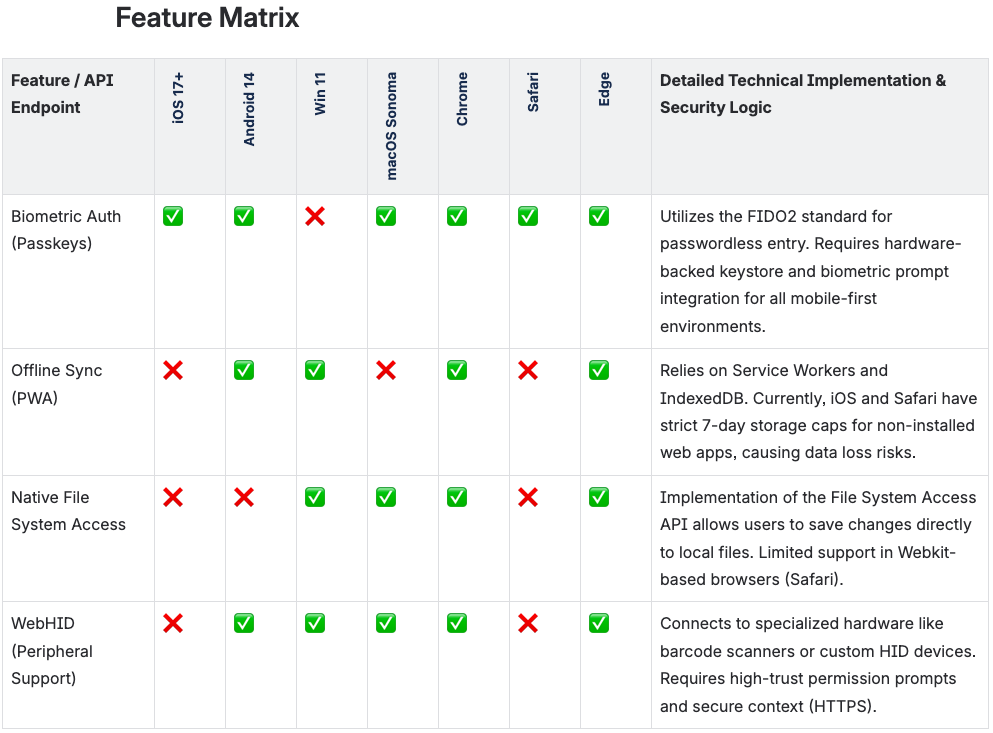
How to rotate Confluence table headers
Install Table Header Wizard from the Atlassian Marketplace, edit a Confluence page or Live Doc, then open the wizard from the table controls.
Choose vertical headers for the columns that need less width, apply fit-to-content sizing, and save the page when the table is readable.
Key Features
1-click Auto Fix: Save time by automatically converting cramped Confluence table headers to fit the content.
Advanced Configuration: Choose between horizontal and vertical headers efficiently, and fit-to-content or default width.
Fully Configurable Wizard: Toggle horizontal/vertical headers per column or for the whole table. Trivial to revert to the defaults.
Supports Pages and Live Docs: Works with standard Confluence pages and Live Docs.
Vertical Text included: Our Vertical Text macro is bundled in for no extra cost.
Dark Mode Support: Designed to fit light and dark Confluence editing environments.
Keyboard Shortcut for Instant Launch: Quickly toggle the wizard at any time with Command + Option + Shift + - on Mac, or Control + Alt + Shift + - on Windows.
For more details, read our Guide…
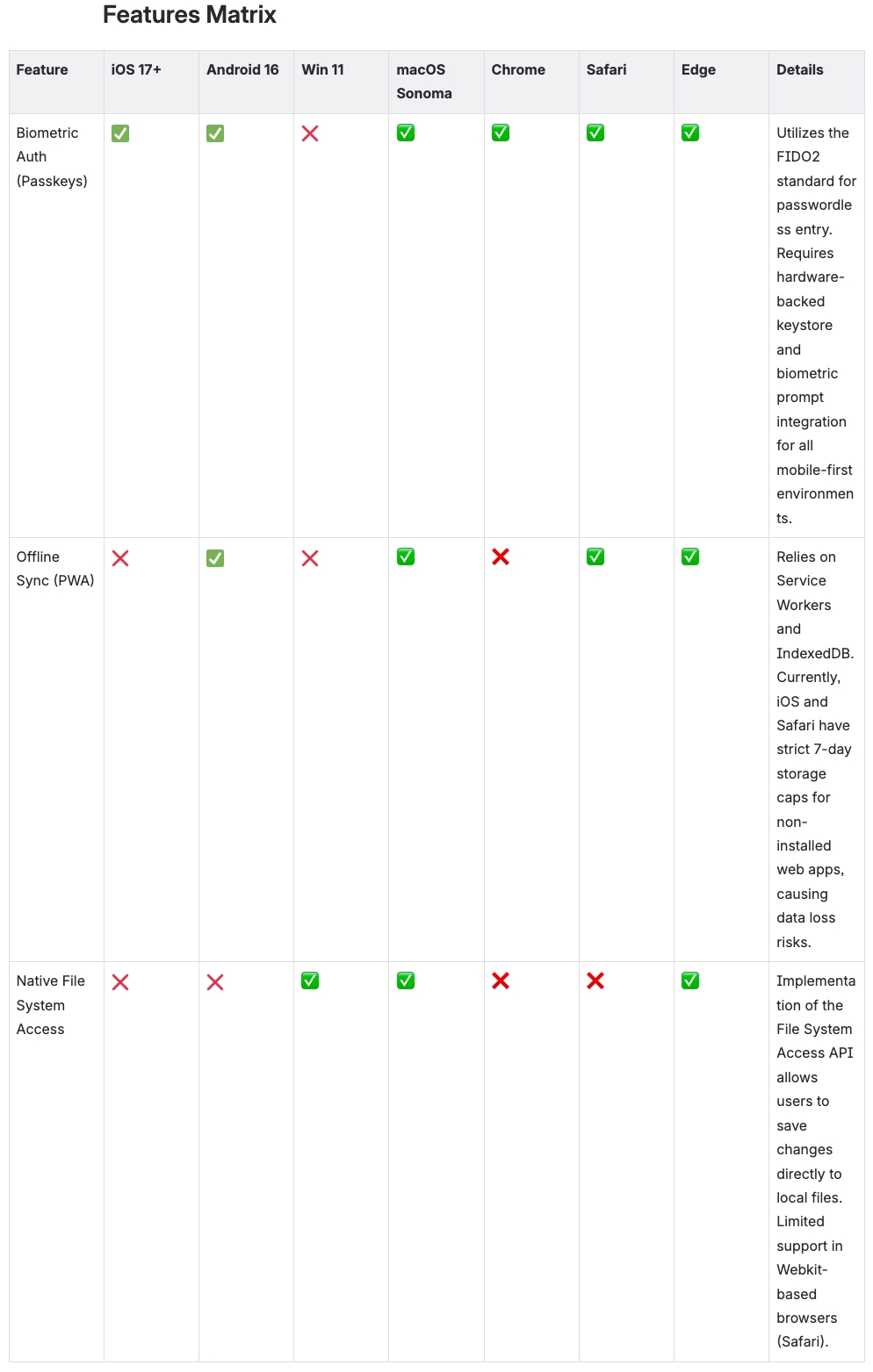
Before
The environment columns take up most of the screen width just to show a single checkmark.
After
By rotating the headers, the most important column remains visible without horizontal scrolling.
FAQ
Can Confluence rotate table headers?
Confluence Cloud does not provide a native one-click way to rotate table headers. Table Header Wizard adds vertical table headers and fit-to-content controls for Confluence tables.
Does Table Header Wizard work with Confluence Cloud pages and Live Docs?
Yes. Table Header Wizard supports standard Confluence Cloud pages and Live Docs.
Is Vertical Text included?
Yes. Table Header Wizard includes the Vertical Text macro for no extra cost, so teams can use both the full table-header workflow and standalone vertical text.